
Updated
Complete ATS Resume Guide for 2026
Nearly every large employer runs applications through an Applicant Tracking System — but the popular claim that it auto-rejects 75% of resumes doesn't hold up (see the sourced data). This guide explains what ATS actually does and how to make sure your formatting never gets in the way.
* See sourced statistics for methodology and citations.
What Is an ATS?
An Applicant Tracking System (ATS) is software that companies use to manage the hiring process. When you apply for a job online, your resume is almost always processed by an ATS before a human reads it.
The ATS parses your resume, extracts information (contact details, work history, education, skills), and scores it against the job description. If your score falls below the employer's threshold — usually 70–80% — your application is automatically discarded. You never hear back.
Popular ATS platforms include Workday, Greenhouse, Lever, iCIMS, Taleo, and BambooHR. Each works slightly differently, but the core principles of ATS optimization apply across all of them.
How ATS Works: Step by Step
Resume Ingestion
The ATS receives your resume file (PDF, DOCX, or text) and extracts the raw text. This is where formatting issues cause problems — tables, columns, and graphics prevent the parser from reading your content correctly. The system sees gibberish instead of your work history.
Parsing & Classification
The parsed text is broken into sections — the ATS tries to identify your contact info, work experience, education, and skills. It matches text to expected fields using rules and machine learning. Unusual section headings confuse this step.
Keyword Matching
The ATS scores your resume against the job description. It looks for exact keyword matches — job titles, required skills, certifications, and phrases from the posting. A score is assigned. Typically, resumes below a threshold score are automatically rejected before any human review.
Ranking & Filtering
Surviving resumes are ranked by score and filtered by knockout criteria (e.g., missing required certifications). The top-scoring candidates are presented to the recruiter. Most ATS platforms show the recruiter your score alongside your parsed profile.
Human Review
A recruiter finally sees your resume — but they often see the ATS-parsed version, not your original. This is why formatting matters even after passing the machine: a poorly parsed profile looks messy even to the human reviewer.
What ATS Scores You On
ATS Do's and Don'ts
Keyword Strategy That Actually Works
The single most impactful thing you can do is match your resume language to the job description. Here's a systematic approach:
Paste it into a document. You're going to mine it for keywords.
Required skills must appear on your resume. Preferred skills should appear if you have them.
If the job says "Product Manager" and "PM" — use both in your resume.
Every specific tool named (e.g., Salesforce, Jira, Python, SQL) is a keyword. Include each one you genuinely have experience with.
If the job says "drive cross-functional alignment," use that phrase in a bullet point where it's accurate.
Paste the job description and get instant keyword gap analysis — see exactly what's missing from your resume.
5 ATS Myths Debunked
This number traces back to a company that closed in 2013 and has been repeated ever since without a current source. A 2025 study across 25 recruiters and 10+ ATS platforms found only 8% enable content-based auto-rejection — most "filtering" is hard requirements (like work authorization) the employer sets, and human review of large applicant volumes.
Keyword stuffing is detectable by both ATS and humans. Integrate keywords naturally in context. ATS systems increasingly use semantic matching, not just exact keyword counting.
Modern ATS systems handle PDFs well — if the PDF was generated from a structured source (like a resume builder), not scanned as an image. One Simple Resume PDFs are fully ATS-readable.
Creative templates often fail ATS parsing. A clean, professional template that passes ATS is what gets you in front of humans — where you actually stand out.
You need to match the most important keywords — especially job title, required skills, and tools. Some ATS systems understand related terms, but exact matching is safest for critical requirements.
ATS also evaluates structure (are sections correctly identified?), completeness (all required fields present?), and sometimes employment gaps and tenure patterns.
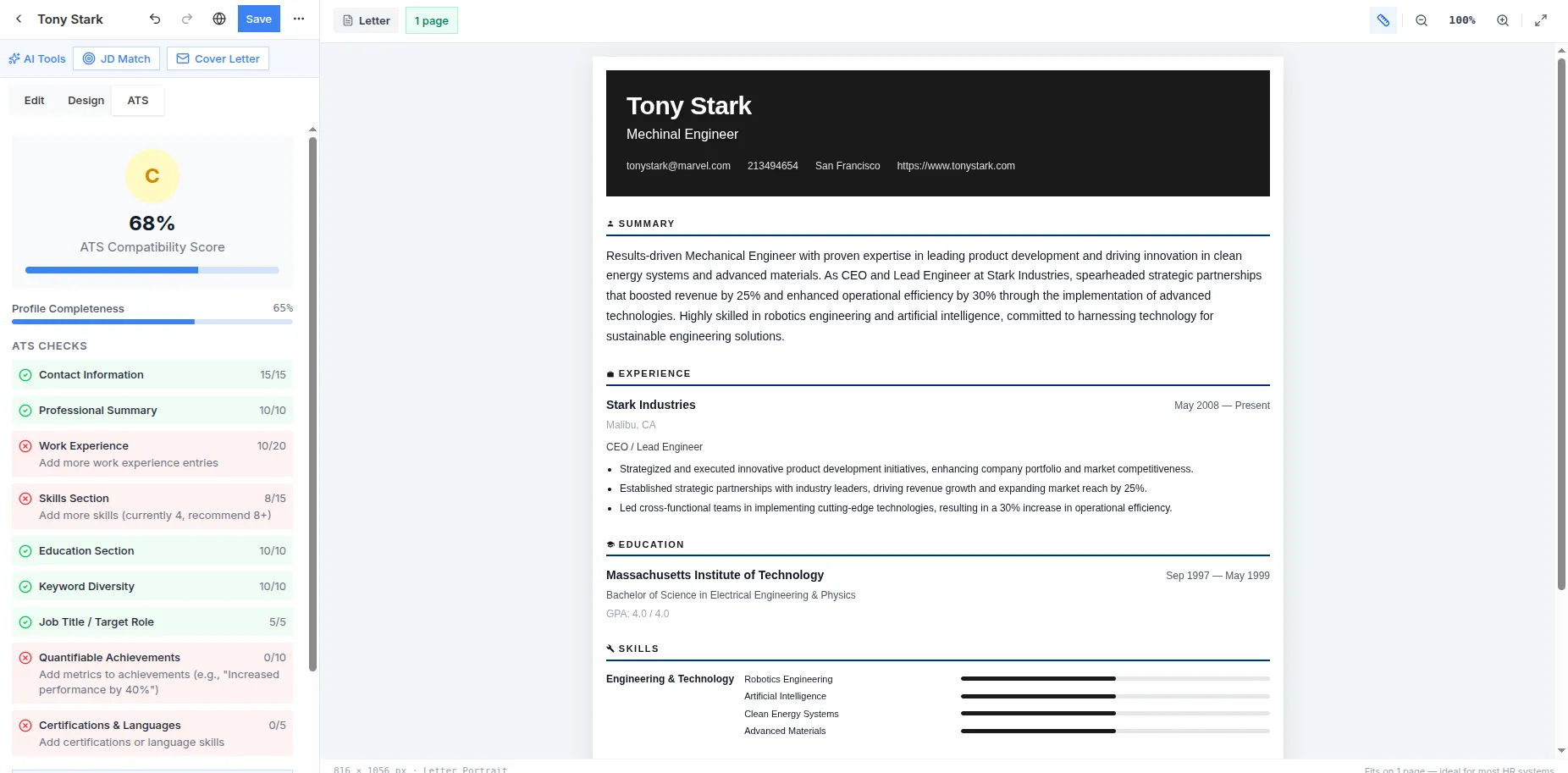
Real screenshot from the live app — sign in free and build yours
Check Your ATS Score Now
One Simple Resume gives you a real-time ATS score with specific recommendations for improvement. Every template is ATS-tested. Free, no account needed.